
Facebook Video Downloader
VidKlik downloads public Facebook videos for free, with no sign-up: paste the video link, choose from the qualities that are actually available, and save the file to your device.
How it works
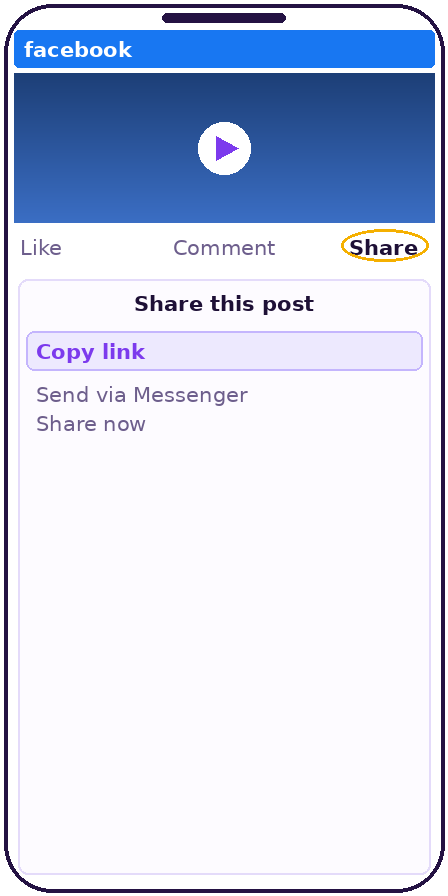 Open the video on Facebook, tap "Share", then "Copy link".
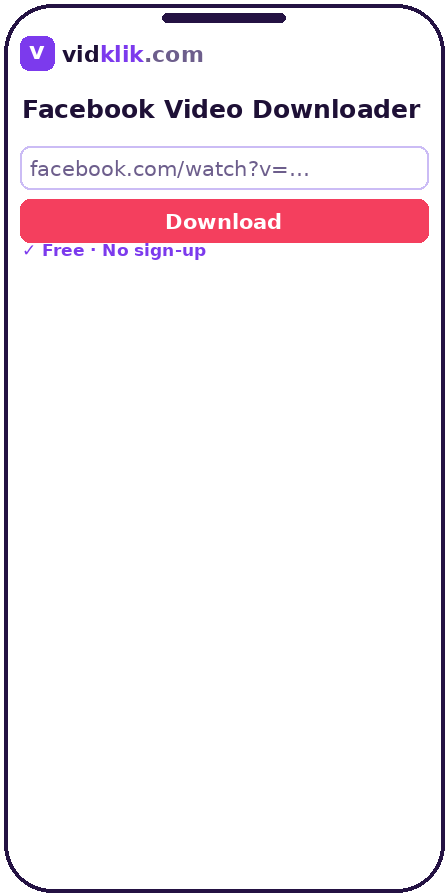 Paste the copied link into the field above, exactly as copied — tracking parameters are cleaned automatically.
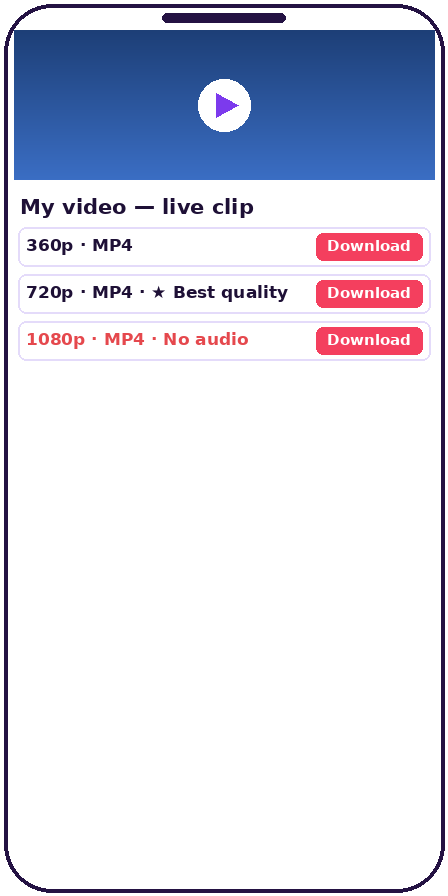 Click "Download" and wait a few seconds while the link is analyzed.
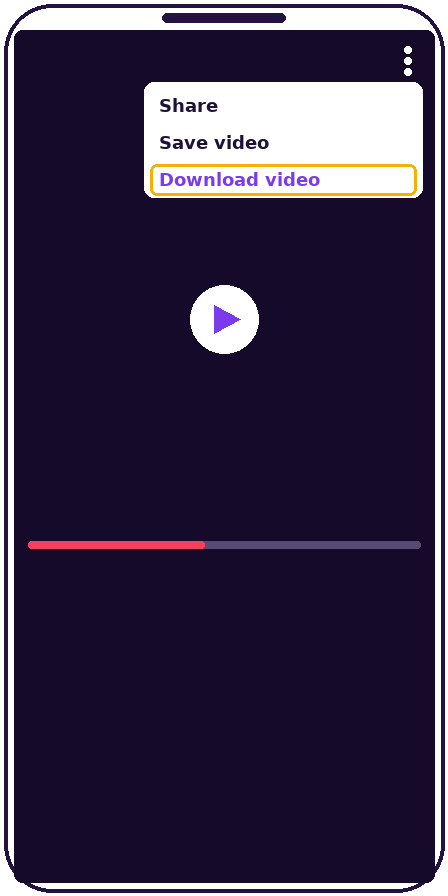 Choose your preferred quality from the list and save the file to your device.
Why download Facebook videos with VidKlik
Original quality, no magic promises
VidKlik lists only the qualities Facebook actually serves for each video: HD when it exists, standard definition otherwise. No invented 2K or 4K.
No sign-up, no software
Everything happens in your browser: no account to create, no extension to install, no app to download.
File straight from the source
The video travels from Facebook's servers directly to your device, never through VidKlik: faster downloads and better privacy.
Phone, tablet and computer
iPhone, Android, Windows, Mac: the tool works in every modern browser.
Almost every Facebook link format accepted
Share links with tracking parameters, Reel and page URLs: paste the link as-is and VidKlik recognizes and cleans it. Short fb.watch links must first be opened once in your browser so they expand to the full address — then paste that address here.
How downloading Facebook videos works
When you paste a link into VidKlik, the tool reads the public version of the video and collects the streams Facebook already makes available to visitors. It then shows you the list of qualities that genuinely exist for that specific video — for example standard definition and high definition — and you pick the one you want to save. The file is then downloaded directly from Facebook's servers to your device: it never passes through our servers, which makes the download faster and keeps your activity private.
This is also why quality differs from video to video: it always depends on the original upload and on what Facebook serves publicly. A video uploaded in low resolution cannot be downloaded in HD by any tool. VidKlik chooses to show you the reality instead of promising resolutions that do not exist.
Which Facebook links are supported
VidKlik accepts most link formats Facebook generates when you share a public video:
- standard facebook.com/watch links and videos from public pages;
- short fb.watch links from the Share button — open them once in your browser first so they expand to the full address, then paste that address;
- Reel links (facebook.com/reel/...) — our dedicated Reels tool applies the same principle;
- m.facebook.com links copied from a mobile browser.
Private videos, group content (public or closed) and friends-only posts cannot be processed: they are not public, and no serious tool should claim to reach them without the owner's account.
Saving a Facebook video on phone and computer
On mobile, open the video in the Facebook app, tap Share, then Copy link, switch to your browser, paste the link into VidKlik and choose a quality. On iPhone the file lands in the Files app under Downloads; on Android, in the Download folder. Tip: if your browser plays the video instead of saving it, long-press the quality button and choose "Download linked file".
On a computer the flow is identical: copy the video URL from the address bar or via the Share button, paste it into the tool, and save the quality you picked. The resulting MP4 plays in every common player and can be transferred to your phone or TV afterwards.
Copyright and responsible use
Downloading a video transfers no rights: the content remains its creator's property. Use VidKlik to keep a personal copy of content you are entitled to save — your own videos, content published with reuse permission, or public-domain material. Never republish a creator's work without their consent and never exploit it commercially. VidKlik is an independent tool with no connection to Meta Platforms, Inc.
Technical specifications
| Source | Public Facebook videos only — page posts, public profile videos and public Reels |
|---|---|
| File format | MP4, as served by Facebook |
| Qualities | Only the qualities Facebook serves for that video (SD, HD 720p/1080p when available); nothing invented, nothing upscaled |
| Processing | No re-encoding, no storage: the file downloads directly from Facebook's servers to your device |
| Links accepted | facebook.com/watch, /videos/, /reel/ and m.facebook.com links; tracking parameters are cleaned automatically |
| Short fb.watch links | Open the link once in your browser so it expands to the full address, then paste that address |
| Devices | Any modern browser on phone, tablet or computer |
| Not supported | Private videos, friends-only posts and group videos |
Frequently asked questions
Is VidKlik really free?
Yes. The tool is completely free, with no sign-up and no reasonable-use limits. It is supported by discreet advertising — never by selling your data.
Do I need a Facebook account?
No. VidKlik never asks for a Facebook login or credentials. If a site asks for your Facebook password to download a video, it is not VidKlik — leave it immediately.
Which videos can be downloaded?
Public videos only: page posts, public profile videos and public Reels. Group videos (including from public groups), private videos and restricted posts are refused by design.
Where does the downloaded file go?
To your device's Downloads folder. On iPhone, open the Files app and go to Downloads; on Android, the Download folder; on a computer, your browser's Downloads folder.
Does VidKlik keep the videos or the links I paste?
No. No video file passes through our servers, and pasted links are not stored after analysis. The download travels directly from the platform's servers to your device. See our privacy policy for details.
Is it legal to download a Facebook video?
Download only content you have the right to save, for personal use. Videos remain their creators' property: do not republish them or use them commercially without permission. VidKlik is not affiliated with Meta or TikTok.
Is 4K quality available?
Only if the original was uploaded in 4K and Facebook serves that quality publicly, which is rare. In practice most public videos top out at HD (720p or 1080p). VidKlik shows what actually exists for each video.
Can I download a Facebook live video?
Yes — once the live stream has ended and its replay has been published as a regular video. While the broadcast is still running, there is no downloadable video file yet.
Why did my download fail?
The most common causes: the video is private or restricted, it was deleted, the link is incomplete, or Facebook is temporarily limiting access. Test it by opening the video in a private browser window while logged out: if it does not open, it is not public.
What is the difference between HD and SD?
SD (around 360p-480p) produces small files, good for small screens and slow connections. HD (720p-1080p) is much sharper on large screens but the file is bigger. Choose based on your device and free storage.