
Facebook Video ID Extractor
Paste any Facebook video or Reel link above and VidKlik shows you its numeric video ID instantly. This micro-tool runs entirely in your browser: the link never leaves your device and nothing is sent to our servers.
How it works
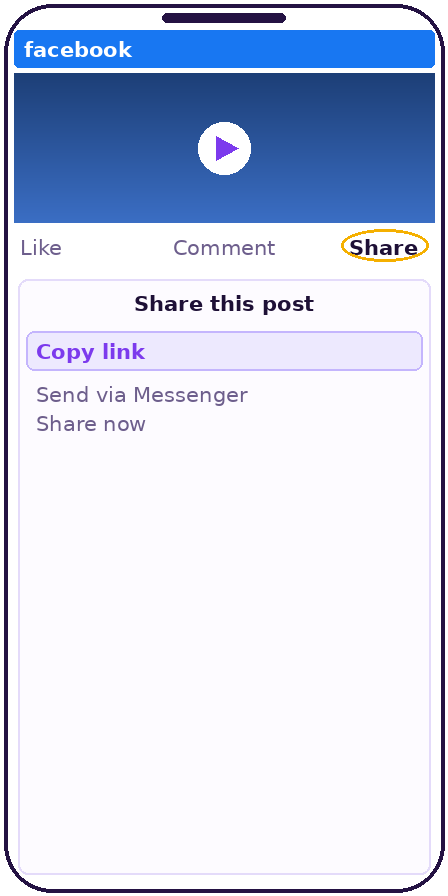 Copy the link of a Facebook video or Reel.
 Paste it into the field above — the ID appears immediately, no button to wait for on our side: the analysis is local.
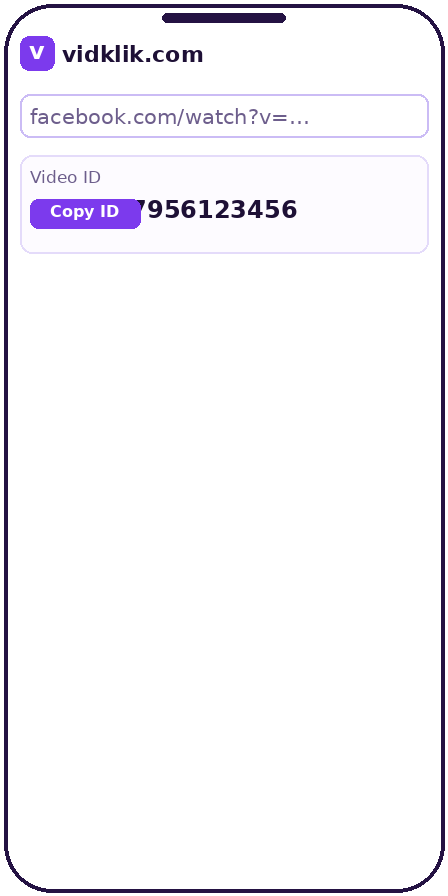 Copy the numeric ID for your embed, report or support request.
Why extract a video ID with VidKlik
100% client-side
The extraction happens in your browser with a few lines of code. Your link is never uploaded anywhere.
All common link shapes
watch?v= links, /videos/ links and /reel/ links are recognized and parsed.
Instant result
No server round-trip, no queue: the ID is displayed as soon as the link is pasted.
No account, no limits
Free, with no sign-up and no usage cap — it costs us nothing to run, so it costs you nothing to use.
Built for practical work
Embeds, CMS fields, analytics reports and support tickets all ask for the video ID — this is the fastest way to get it.
What a Facebook video ID is
Every video on Facebook has a unique numeric identifier — its ID. You can see it inside the video's address: in a facebook.com/watch/?v=123456… link it is the number after v=; in a /videos/123456… link it is the long number in the path. The ID is how Facebook's own systems, embed codes, the Graph API and most CMS plugins refer to one specific video, independent of who shared it or where.
When you need it
Embedding a video through a plugin that asks for an ID rather than a URL; reporting a specific publication to a client or a platform team; filing a precise support or rights request ("the video with ID …"); reconciling analytics exports where videos appear by ID. In each case, hunting the number by eye inside a long tracking-laden URL is the slow way — this field does it in one paste.
Accepted formats — and one honest exception
The extractor recognizes standard watch links, page /videos/ links and Reel links. The exception is the fb.watch short link: resolving it requires asking Facebook where it points, which no purely local tool can do. Open the short link once in your browser, let it expand to the full address, then paste that address here. We state this limit openly rather than sending your link to a server behind your back — being local-only is the whole point of this micro-tool.
Related tools
Need the video itself? The Facebook video downloader saves public videos in their real qualities. Need its cover image? The thumbnail downloader retrieves the full-size thumbnail.
Technical specifications
| Output | The video's numeric Facebook ID |
|---|---|
| Processing | 100% in your browser — the link is never sent to a server |
| Links accepted | facebook.com/watch/?v=…, /videos/… and facebook.com/reel/… links |
| Short fb.watch links | Open the link once in your browser so it expands to the full address, then paste that address |
| Note | Extracting an ID changes nothing about access — private content stays private |
Frequently asked questions
Is my link sent to your server?
Never. This tool runs 100% in your browser; you can verify it by disconnecting after the page loads — the extractor keeps working offline.
Which link formats are supported?
facebook.com/watch/?v=…, …/videos/… and facebook.com/reel/… links. Short fb.watch links must be opened once so they expand to a full address.
What is a video ID used for?
Embeds and CMS plugins, Graph API calls, analytics reconciliation, and precise references in reports or rights requests.
Can I extract the ID of a private video?
The ID is read from the link itself, so any link you hold can be parsed — but that changes nothing about access: private content stays private.
Is there a bulk mode?
Not at the moment. For a handful of links, paste them one after another — each result is instant.
Is this tool free?
Yes — free, unlimited, no sign-up. It runs on your device, so it costs us nothing to offer.