
How to Download Facebook Reels
To download a public Facebook Reel: open the Reel full-screen, copy its link (facebook.com/reel/…) via the share button, paste it into the VidKlik Reels downloader, choose one of the offered qualities, and save the file. The whole process takes under a minute, with no app to install and no account to create.
Reels are the format most people actually want to save from Facebook these days: vertical, short, usually built around a music clip. Saving one takes under a minute and needs no app and no account — but Reels have a few quirks worth knowing first. This guide walks through the exact steps on phone and desktop.
What makes a Reel different from a regular video
Three things. The shape: 9:16 vertical, framed for a phone held upright. The link: a Reel lives at facebook.com/reel/…, and that specific link is the one to copy — not the link of a post that happens to embed it. And the sound: many Reels rely on a licensed music excerpt. Downloading is one thing; reposting is quite another, as explained below.
The steps
1. Open the Reel full-screen. Tap the Reel so it plays on its own, away from the feed. This guarantees you copy the Reel's own address.
2. Copy the link. In the app, tap the share icon (the arrow at the bottom right of the Reel), then Copy link. On a computer, open the Reel and copy the address bar.
3. Paste it into the Reels downloader. Use our dedicated Reels tool: paste, start the analysis — it takes a few seconds. Any tracking junk Facebook appended to the address is stripped automatically.
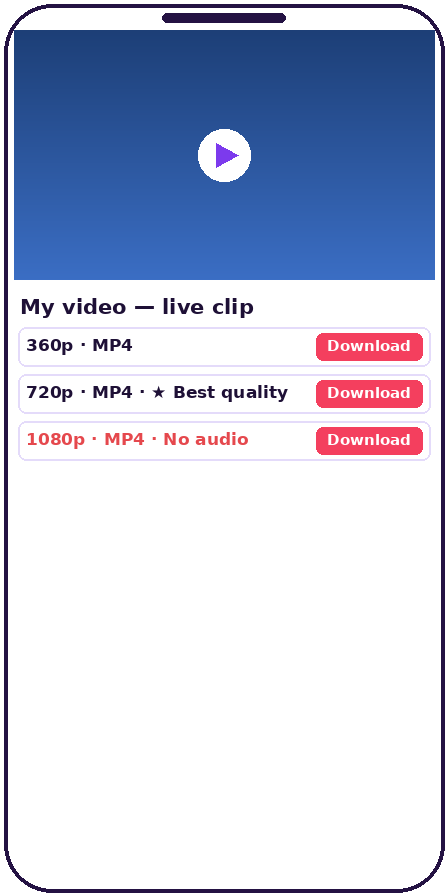
4. Pick a quality. Reels are short, so files stay small — a few megabytes typically. Choose the best offered quality for a big screen; the standard one is plenty for a phone.
5. Save the file. It travels straight from Facebook's servers to your device; it never passes through VidKlik. If your browser opens a player instead of saving, use the player's ⋮ menu and choose Download.
Where the file ends up
On iPhone: the Files app, under Downloads (not Photos — the most common reason people think a download "vanished"). On Android: the Downloads folder or the gallery, depending on the model. On a computer: the browser's usual Downloads folder.
The limits, stated plainly
Reels from private accounts are out of reach — like all non-public content. The same goes for Reels posted in groups, even public ones: Facebook restricts access to those technically, and VidKlik does not work around that restriction. And if a quality is missing from the list, it was never in the original: a Reel uploaded in 720p cannot come back in 1080p, whatever any website promises.
Reposting a downloaded Reel: the rights question
Downloading for your own use — rewatching offline, archiving, studying a technique — is unproblematic. Republishing someone else's Reel touches two rights at once: the creator's rights in the video, and the music licence behind the soundtrack. Without the creator's permission, Facebook can remove such reposts automatically, and regularly does. The simple rule: download freely for yourself; publish only what's yours. The same rules apply to regular videos on our main Facebook downloader.
Frequently asked questions
How is downloading a Reel different from a regular video?
The process is the same; only the link matters — copy the Reel's own address (facebook.com/reel/…) while it is open full-screen. The saved file stays vertical (9:16), exactly like the original.
Can I download Reels from a private account?
No. Only public Reels are reachable by external tools. Private accounts, and Reels posted in groups — even public groups — are excluded.
Is the music included in the downloaded file?
Usually yes, because it is part of the audio track Facebook serves. If video and audio are offered separately (DASH), download both tracks.
Can I repost a downloaded Reel to my own account?
Only with the creator's permission. The music in many Reels is commercially licensed, and Facebook removes unauthorized reposts automatically.
Why was my Reel link rejected?
Usually because the copied link was the post's address rather than the Reel's, or the account has gone private. Open the Reel full-screen and copy its link from there.
What quality will the saved file be?
Exactly the qualities Facebook itself offers for that Reel, with no extra compression added by us. Most recent Reels are available in 720p or 1080p.